
Chrome extension for real estate agents
It fills the post. It stops at Publish.
Capture a listing from Zillow, Redfin or Realtor.com. ListRider writes copy for each site and fills the Facebook and Craigslist forms. The last click is always yours.
Free during the beta. Runs in Google Chrome on a computer.
How it works
Four steps from listing page to live post
-
Capture
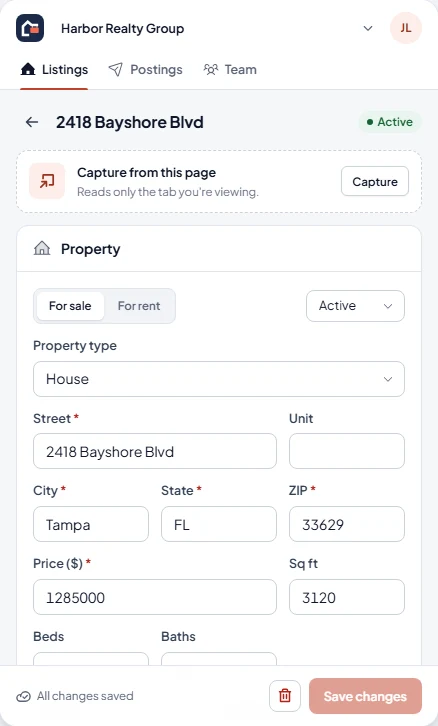
Open the listing on Zillow, Redfin or Realtor.com and click Capture. Address, price, beds, baths, square footage, description and photos come in, and you check every field.
-
Write
Generate a title and description for each site, sized to its limits, with your license disclosure and Equal Housing Opportunity added.
-
Fill
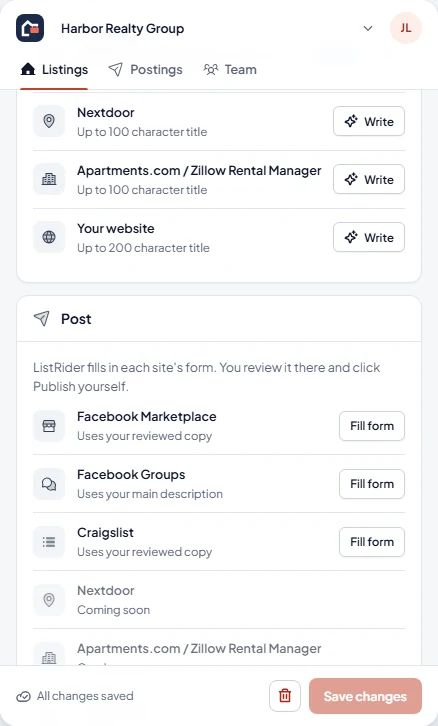
Click Fill form. ListRider opens the posting page, fills the fields, attaches the photos and points at the Publish button.
-
Publish
Read it over on the site and click Publish yourself. The Postings tab then tracks it until it's time to renew or take it down.
Where it works
Capture from the listing sites. Fill the places people scroll.
Capture from
- Zillow
- Redfin
- Realtor.com
Fill posts on
- Facebook Marketplace
- Facebook Groups
- Craigslist housing
Coming next
- Nextdoor
- Apartments.com and Zillow Rental Manager
- A listing feed for your own website
Compliance
Built for the rules you work under
Right to market
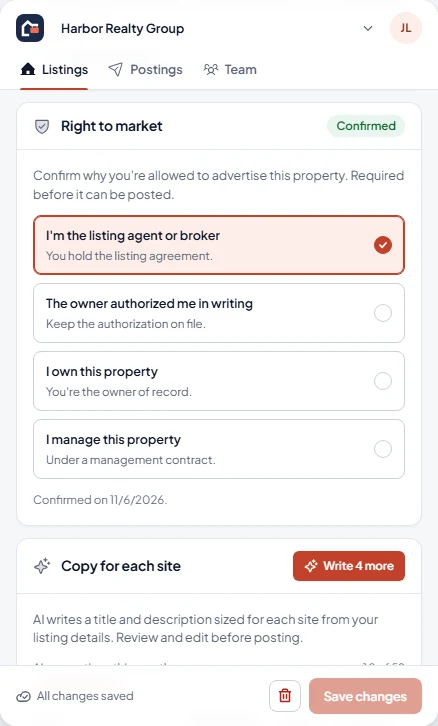
Before a listing can be posted, you confirm why you're allowed to advertise it: your listing, the owner's written permission, your own property, or a management contract.
Fair housing check
Phrases that commonly break the Fair Housing Act are flagged before you post, in your copy and in AI copy alike.
Disclosures on every post
Your brokerage's license disclosure and the Equal Housing Opportunity statement are added to every description.
You publish, not a bot
ListRider fills forms and stops. Every post goes live because you clicked Publish on that site.
Know where every post stands
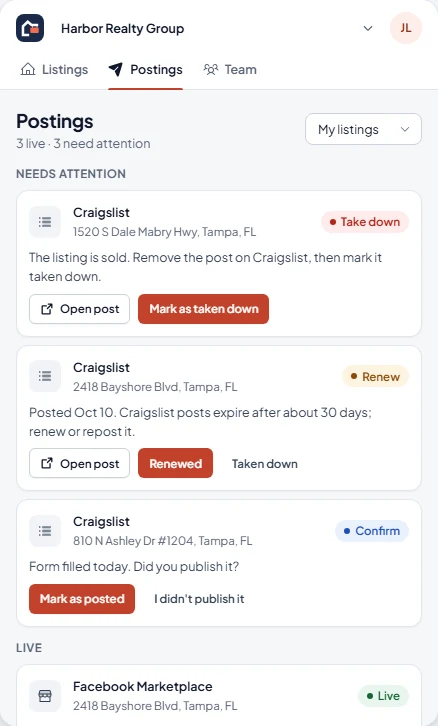
The Postings tab shows where each listing is live, which posts are due for renewal, and which to take down once a property sells or rents.
- Live
- Renew
- Confirm
- Take down
Bring your team
Share listings across a team or brokerage. Owners and admins see everything, agents manage their own listings, and assistants post for the agents they support.
Free while in beta.
Install ListRider from the Chrome Web Store, sign in with your email, and capture your first listing.
ListRider runs in Google Chrome on a computer. Copy the link and open it there.